Thai dictionary · iPhone, iPad & Android
Look it up the way you heard it.
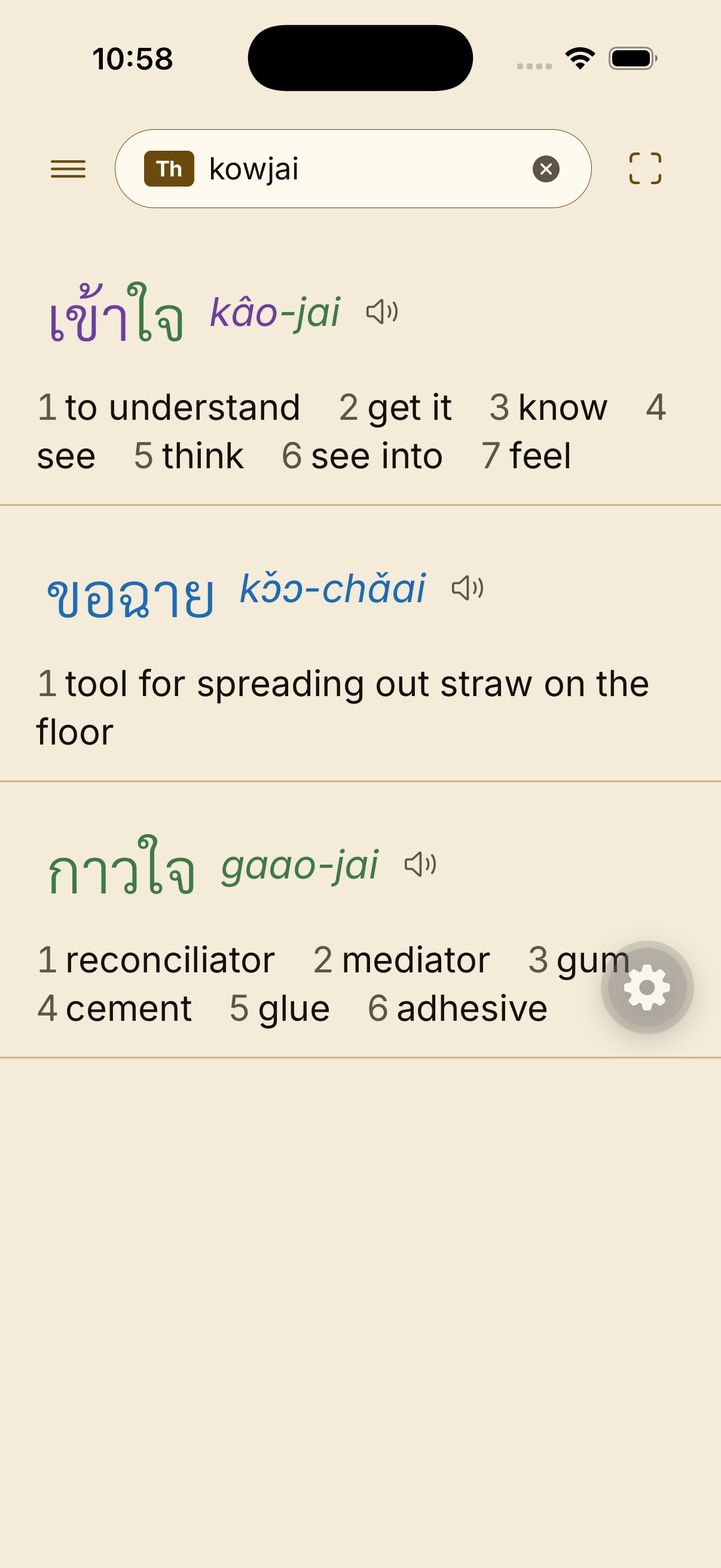
Type Thai, English, or a Latin guess. The card that opens is the same one in the app — headword, sound, senses — not a marketing redraw.


The lexicon stays on the phone. Folders and cards survive updates; uninstalling wipes them, which is expected.
The card
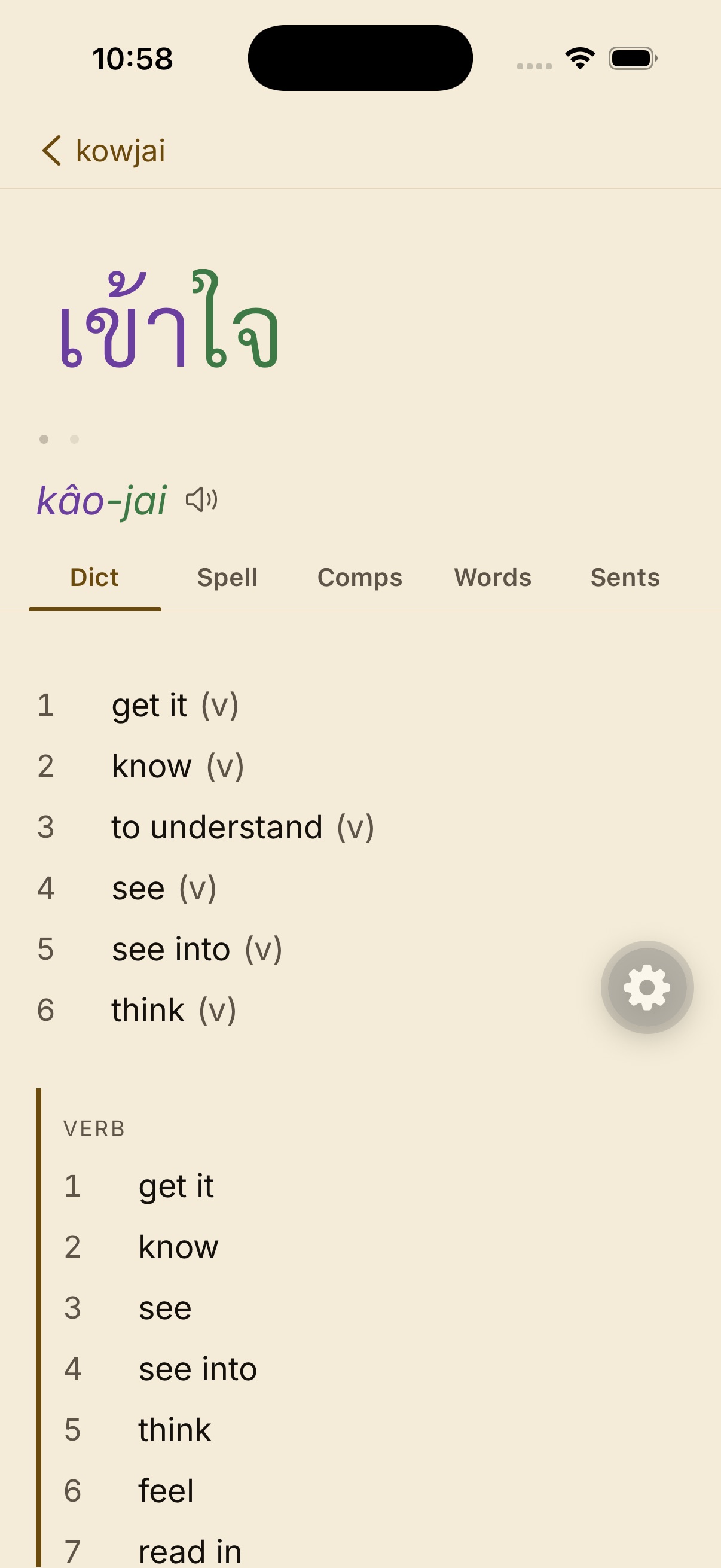
One page per word, not a wall of glosses.
Thai at the top, how it sounds under that, then the senses in the order you’d actually use them. Spell, compounds, and example sentences sit on tabs so the first screen stays readable.
Home
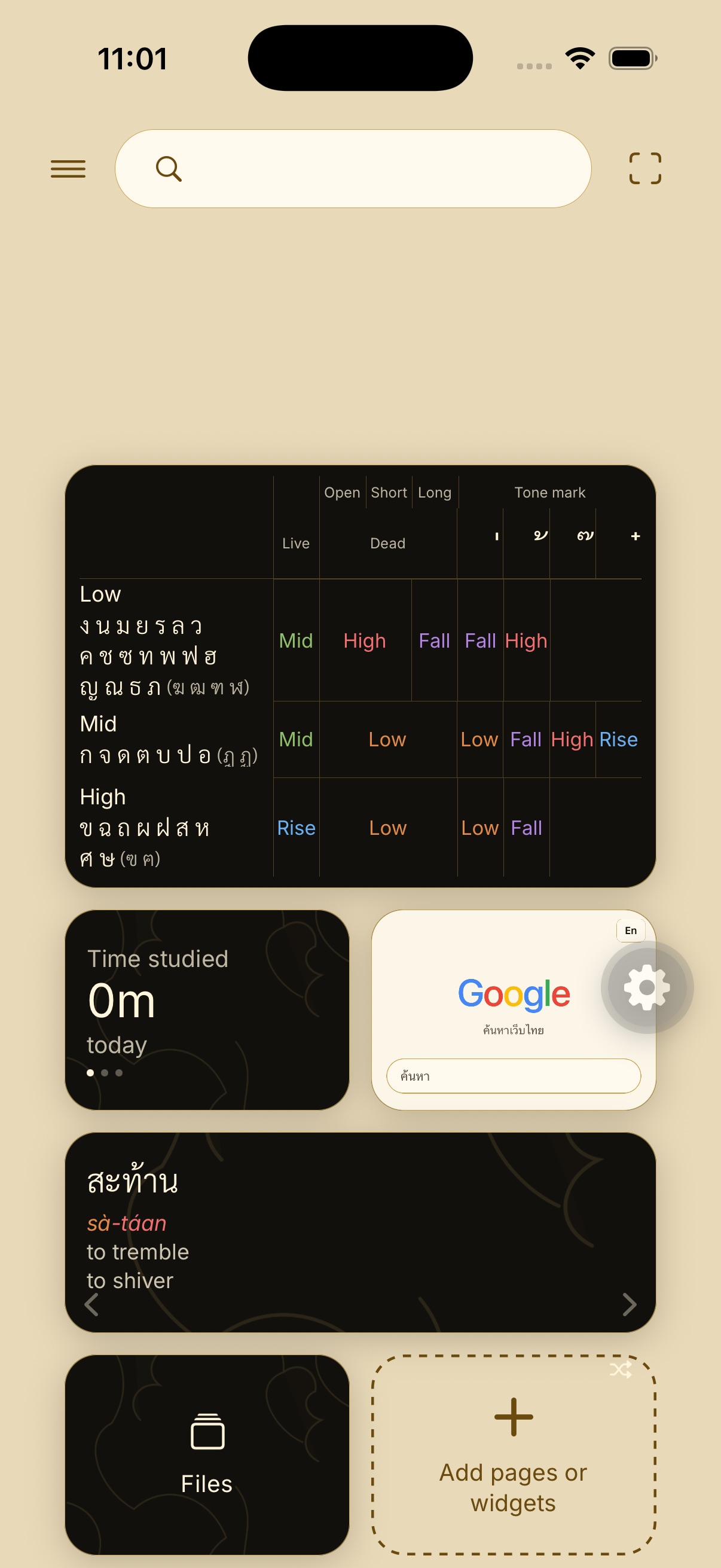
Pin the pieces you actually use.
Tone chart, history, a word you saved, the search bar. The rest stays off the board. Same lacquer as the rest of the app — that’s why this site is this color.
Phonetic search
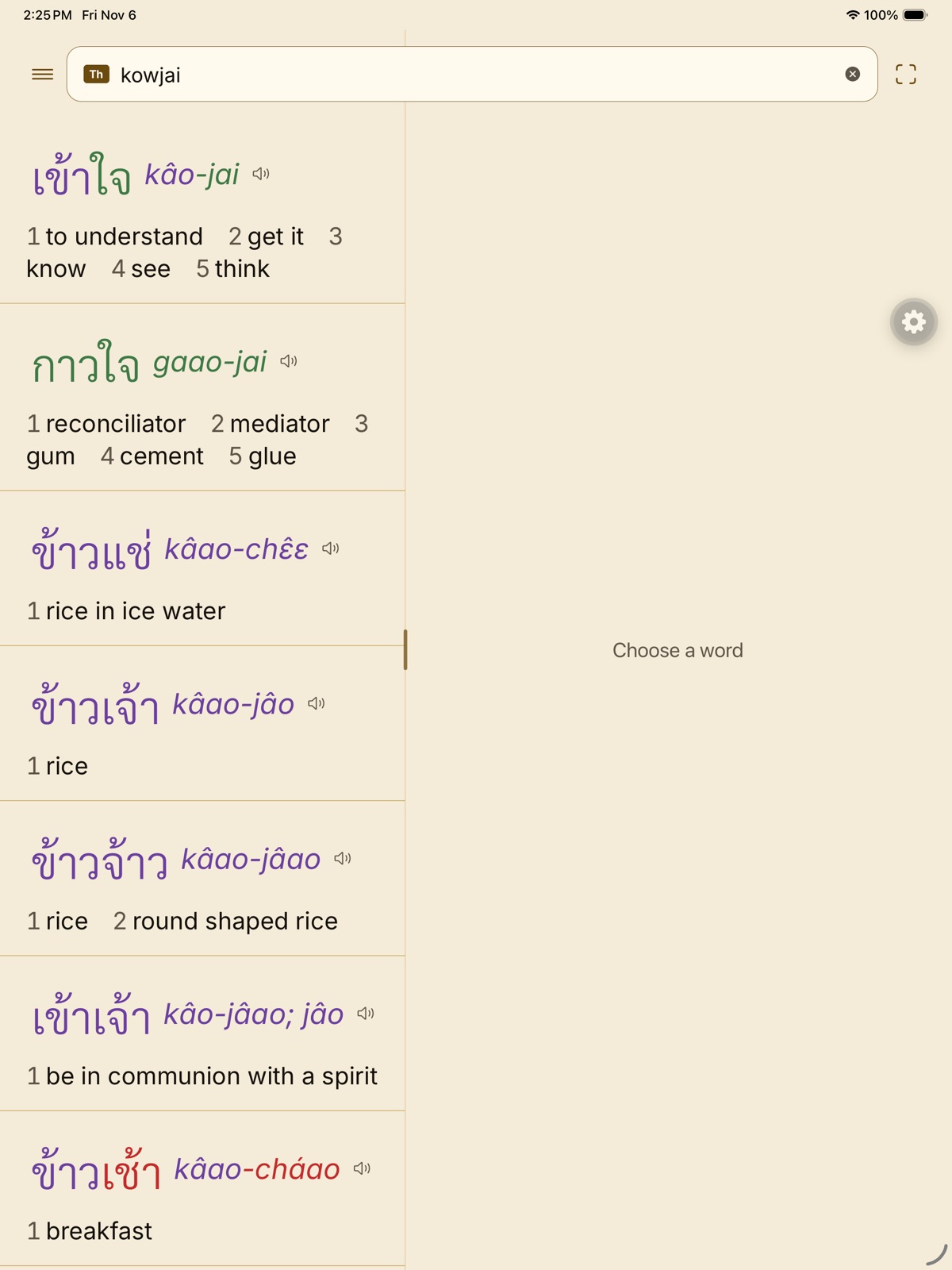
Type it the way you heard it.
Nobody writes เข้าใจ on a Latin keyboard. Learners type kowjai, khao jai, kaojai. Gloss still puts เข้าใจ first — “to understand” — then the near-sounding words underneath.
SPELL
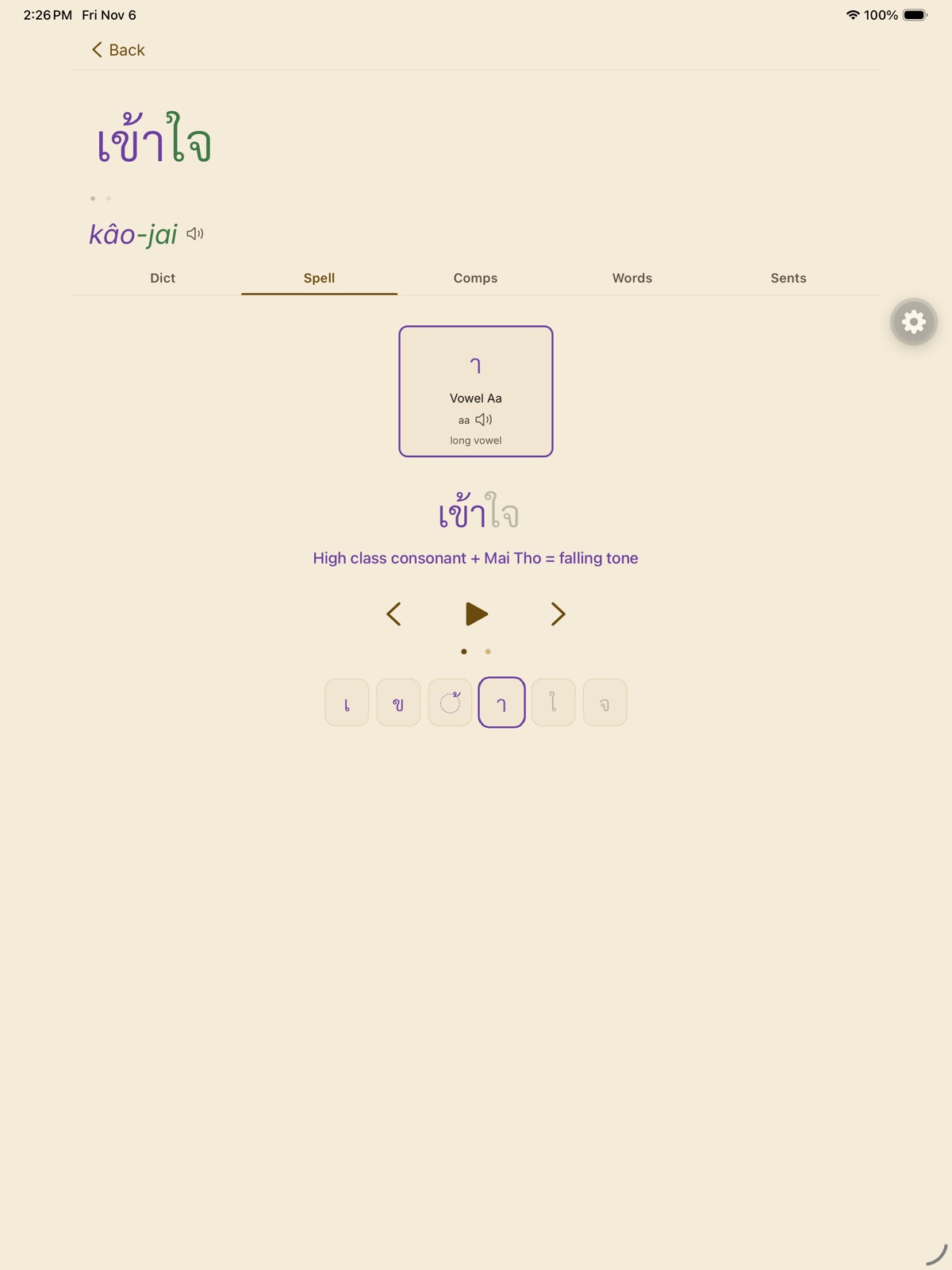
Ink the letters in order.
A syllable breaks into consonant, vowel, and tone pieces, then you trace them. Mid-word, the caption names the rule — here, high class plus Mai Tho makes the falling tone.
Scan
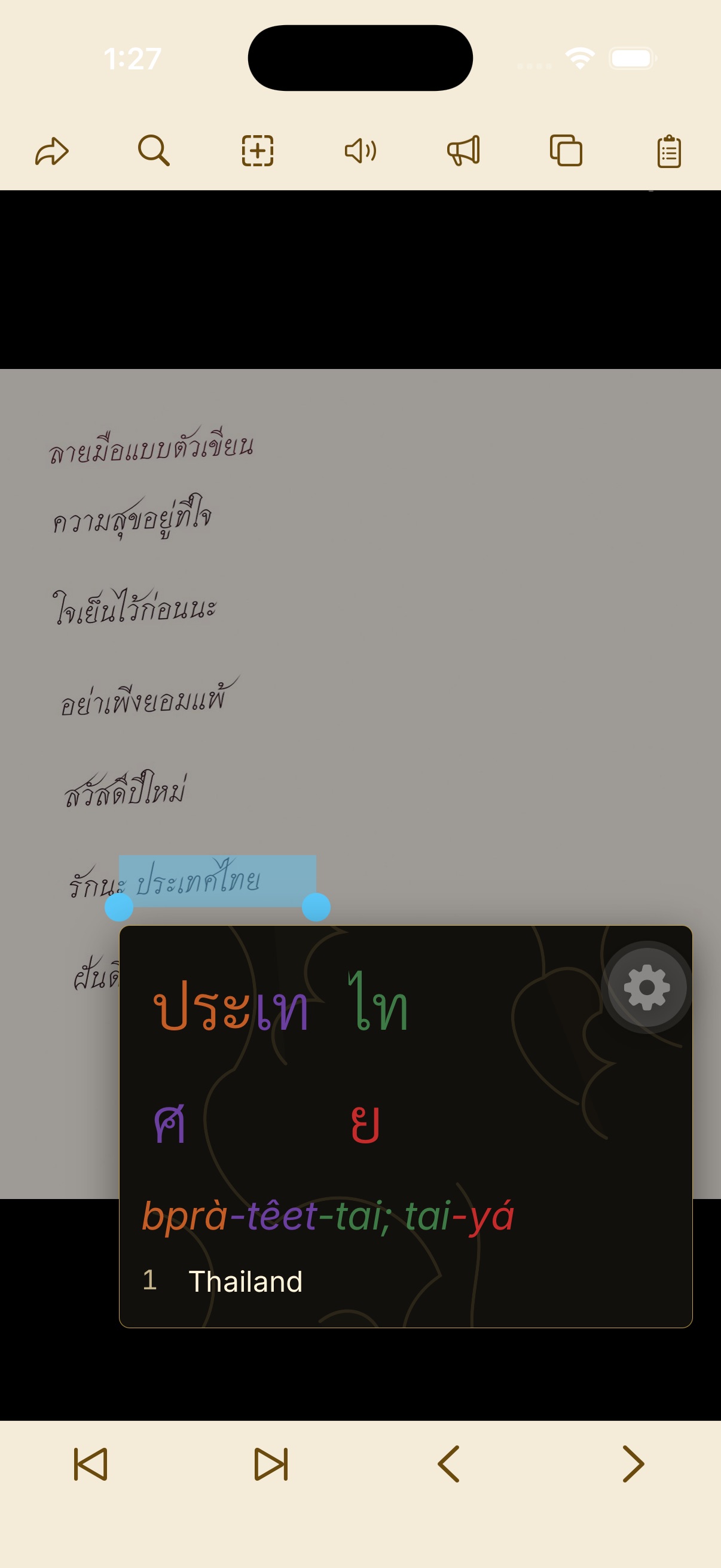
Photograph the page. Tap the word.
A still photo is enough — print or handwriting. Gloss reads the Thai, and a tap on ประเทศ opens the card with tone colors, the same way a live camera scan would.
Clipboard
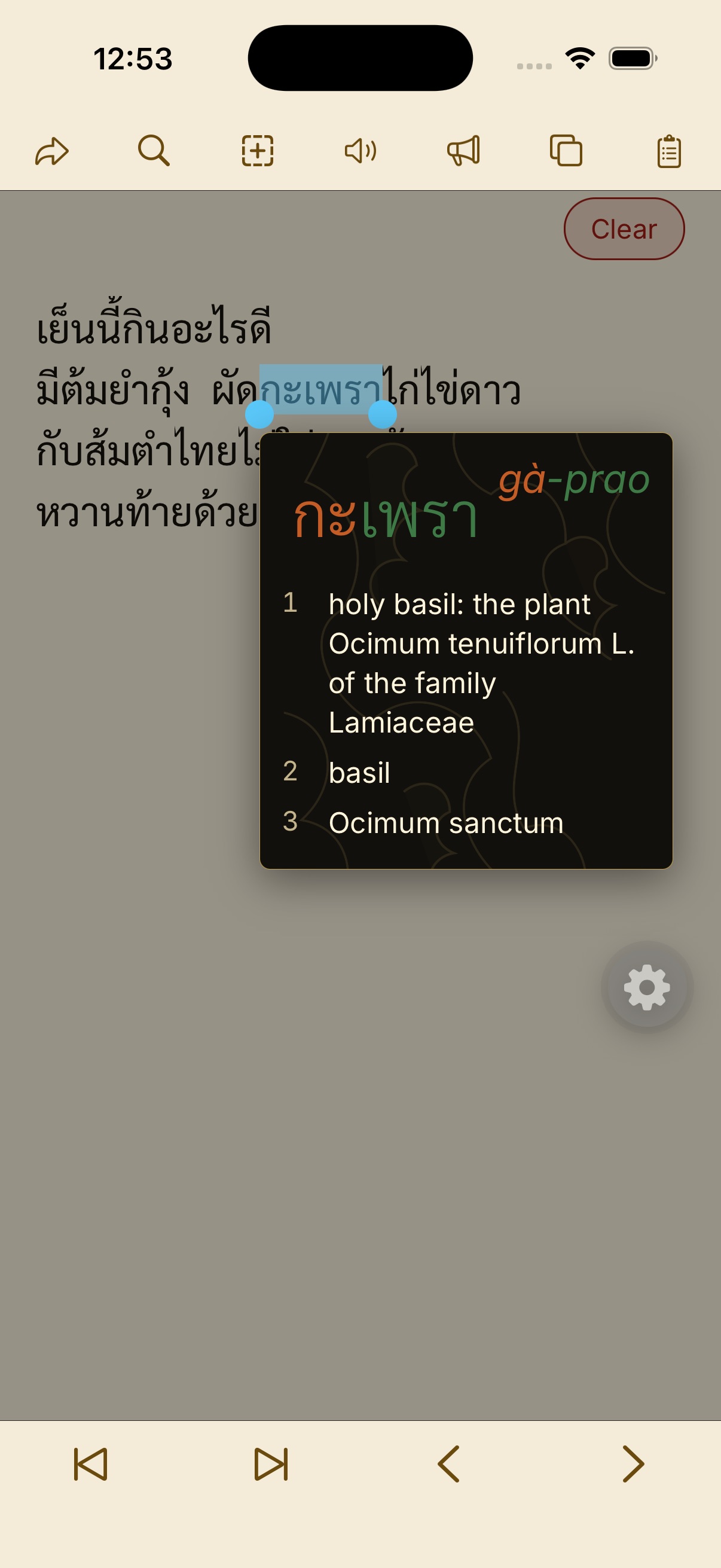
Paste the message. Tap the word.
A LINE chat, a caption, a dinner plan. Gloss reads the pasteboard, splits the Thai, and the card opens on the word you touched — here, กะเพรา, holy basil.
Tests
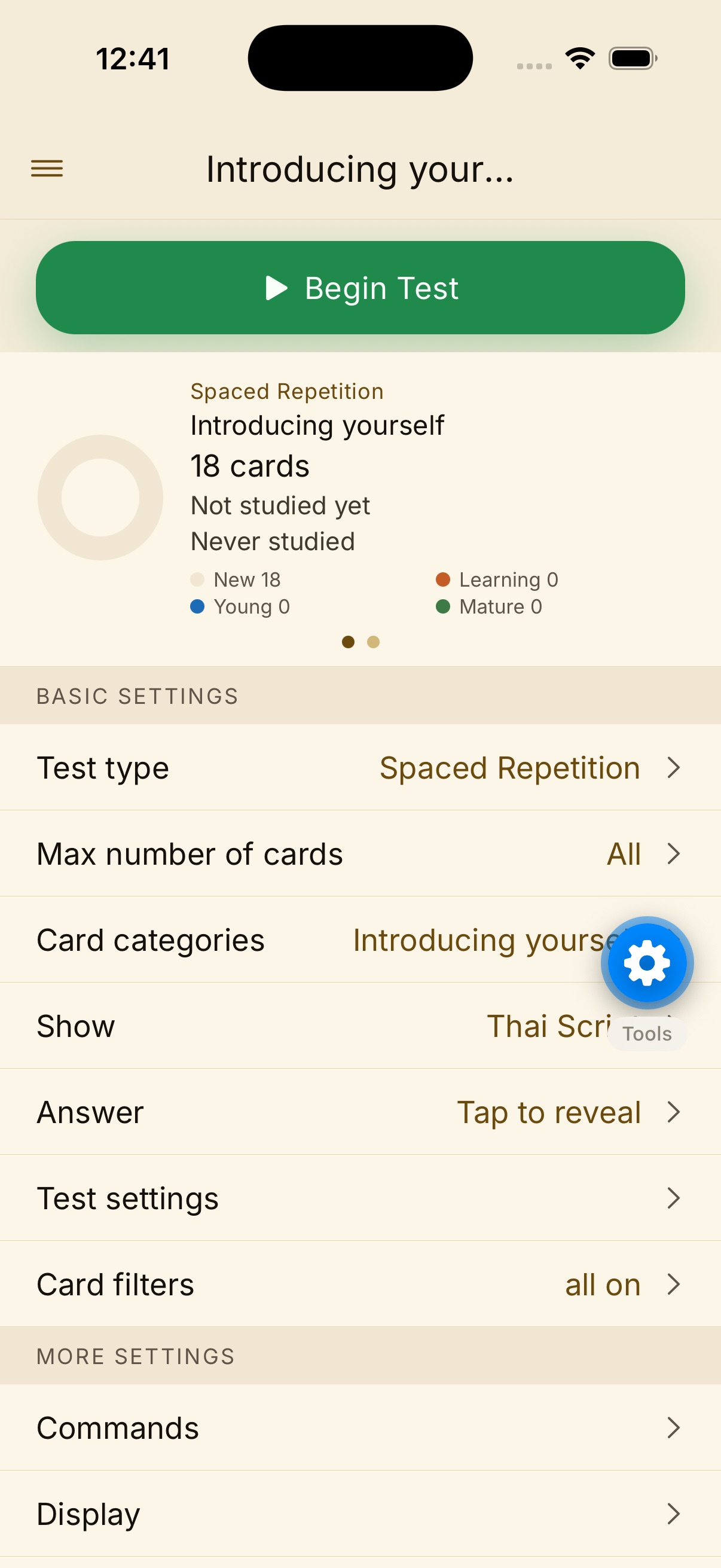
Run a round, not a pile of cards.
Pick a folder, hide Thai or English, and Begin Test. Spaced repetition, tap-to-reveal, or type the answer — the same Pro tone colors stay on the word while you check yourself.
Cards
Keep the words you actually met.
Save a lookup into a folder. Review later. Import your own lists. Pro is a one-time purchase, not a subscription — Restore from the same store account.
Phone and tablet, same dictionary.
Look it up in a pocket. Keep going on a bigger screen. Same cards on iPhone, iPad, and Android.
About
Made for people who are in the language.
Gloss is for travelers, students, and anyone who keeps a word because they will need it again. Thai and English, on iPhone, iPad, and Android. Related languages exist in the project and stay out of the way until they are ready.
The lexicon is assembled from licensed sources documented in the app. Settings → Legal lists every notice. Built by Machakos Consulting.
Support
If a word looks off, write.
noah@machakosconsulting.com. Restore Pro from the same Apple ID or Google account you used to buy it.
Get Gloss
iPhone, iPad, and Android. Search for Gloss — Thai Dictionary until the store listings are live.

Pro is a one-time purchase in the app. It unlocks the fuller toolkit as it exists when you buy.
Using the app means you agree to the Terms of use and the Privacy note.